Free tool · YouTube Shorts
YouTube Shorts safe zone: template and checker
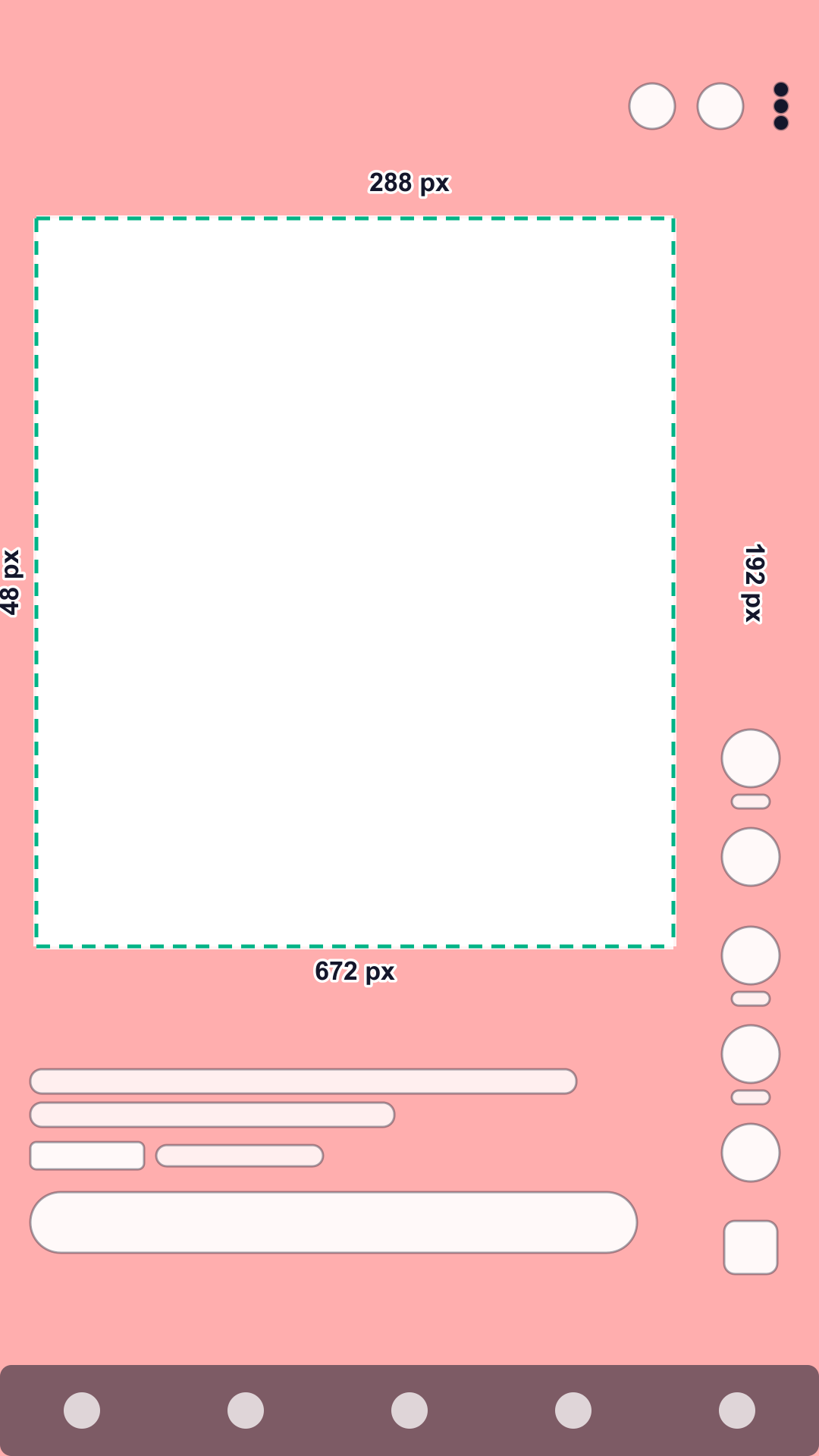
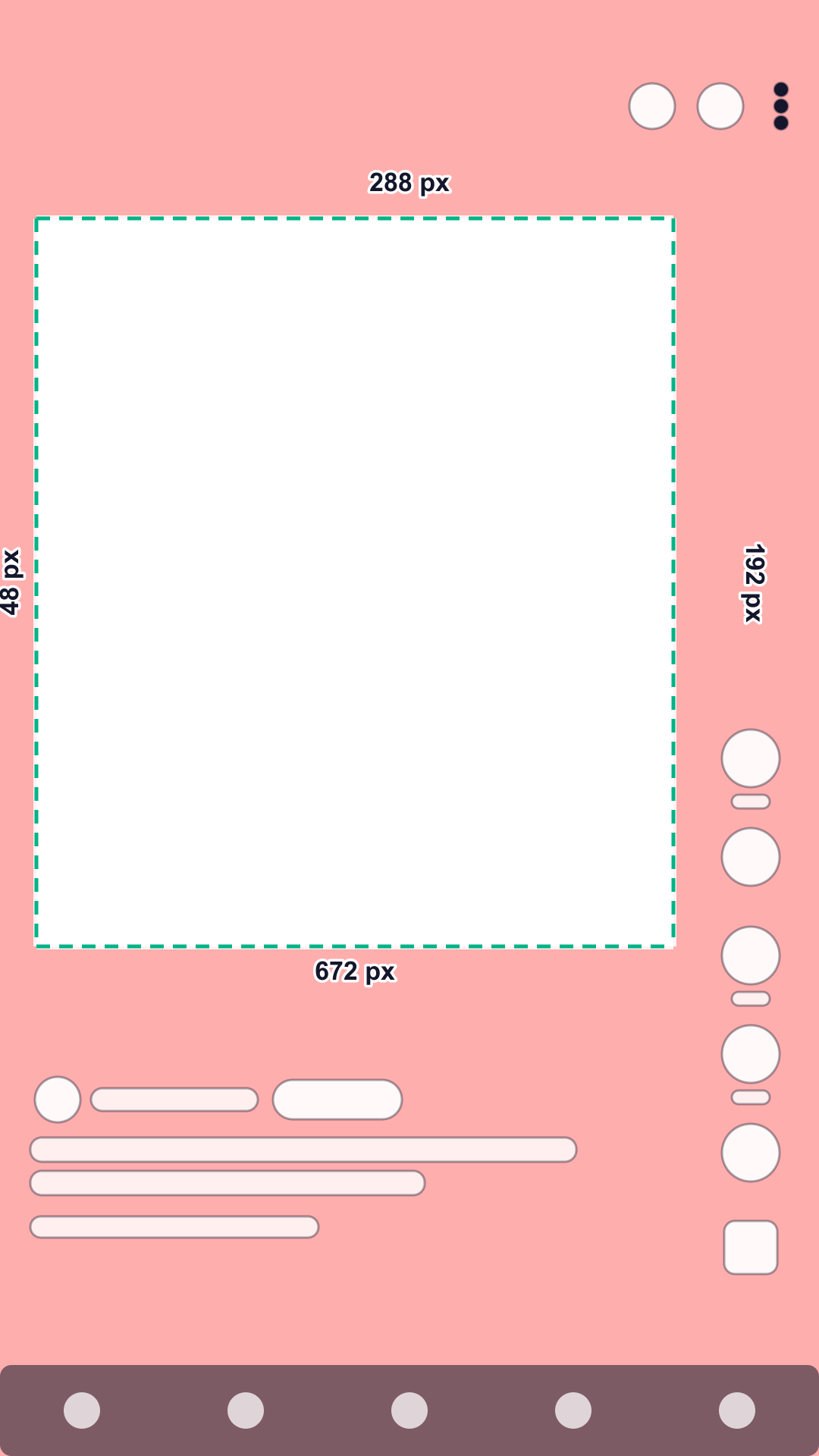
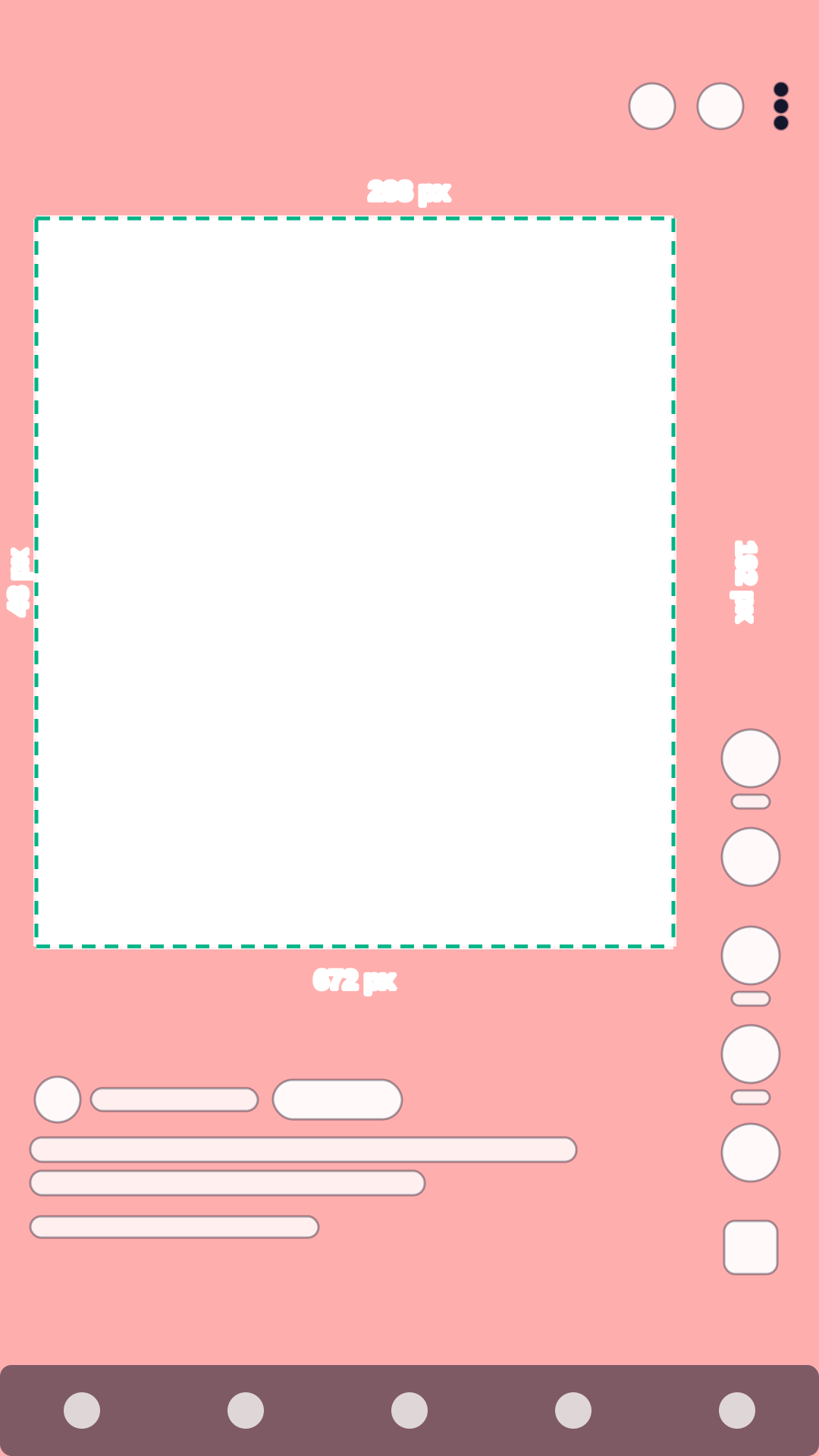
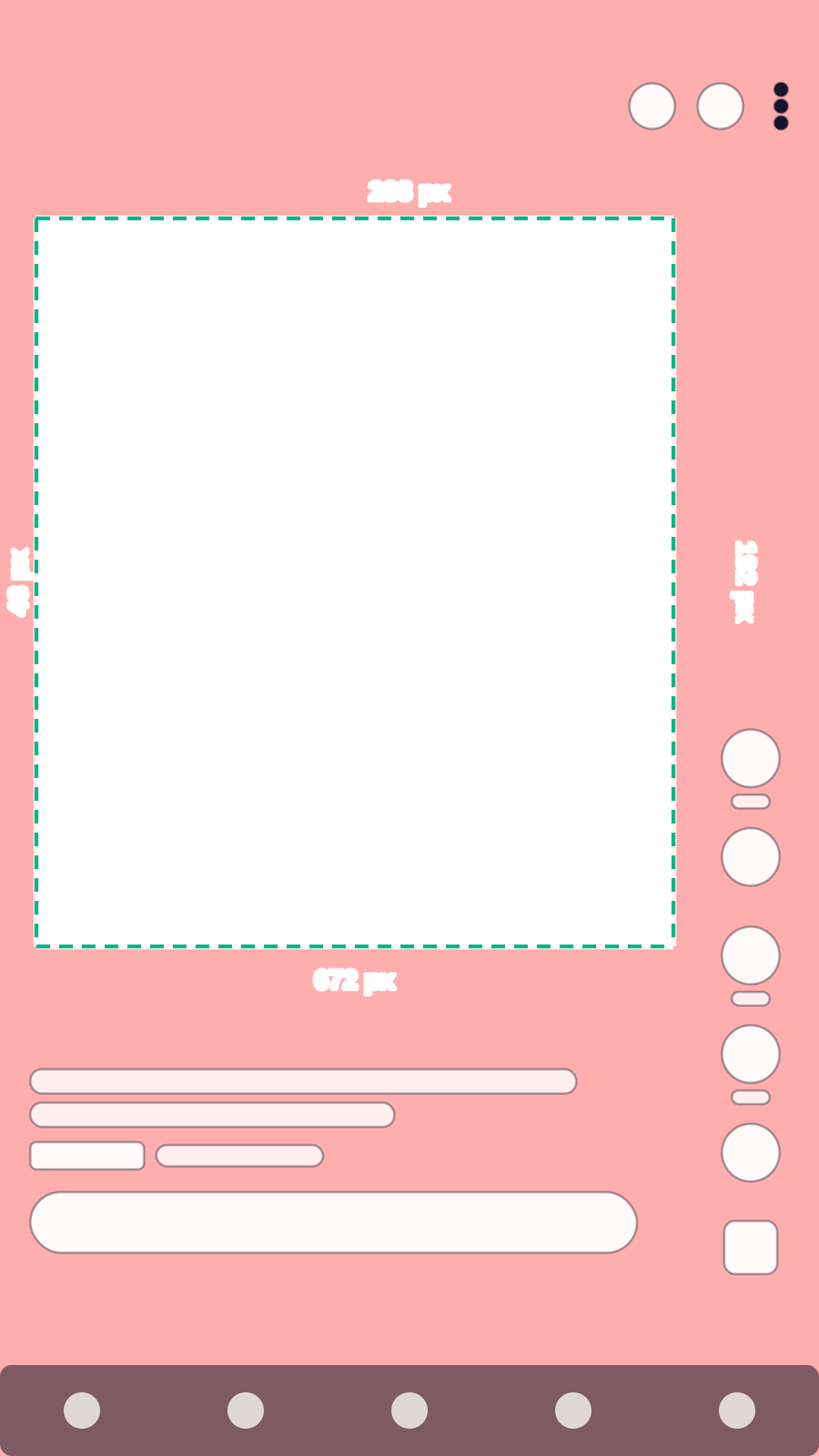
On a 1080 × 1920 Short, keep text, logos and faces out of the top 288 px, the bottom 672 px, 48 px on the left and 192 px on the right, which leaves a 840 × 960 px safe area. These are Google’s official numbers for vertical video ads on YouTube, which also run in Shorts; organic Shorts have the same buttons and text in the same places.
Check your video against the YouTube Shorts safe zone
Shorts put search and menu buttons at the top, a column of buttons on the right, and the channel, title and sound at the bottom. Check your footage against Google’s numbers and download a template.
Your file stays on your device: nothing is uploaded.
Interface shapes are schematic: they show where the app’s buttons and text sit, not how they look. Red areas are the platform’s unsafe zones.
Turn on JavaScript to check your own video. The template above and the numbers below work without it.
Need videos like this for a whole catalog? Request a pilot
YouTube Shorts safe zone in numbers
Pixels on a 1080 × 1920 frame and share of the frame; x and y count from the top left corner. The zone scales with any 9:16 resolution.
| Placement | Top | Bottom | Left | Right | Button column | Largest clear area |
|---|---|---|---|---|---|---|
| Organic post1 not published: ad zone | 288 px15% | 672 px35% | 48 px4.4% | 192 px17.8% | inside the margins | 840 × 960 pxx 48–888, y 288–1248 |
| Ad1 official | 288 px15% | 672 px35% | 48 px4.4% | 192 px17.8% | inside the margins | 840 × 960 pxx 48–888, y 288–1248 |
What covers each edge
- Top: search, camera, menu
- Right side: like, dislike, comments, share, remix, audio
- Bottom: channel name, Subscribe button, title, sound name, ad label, call-to-action button (ads), app menu bar
What to keep inside the safe zone
- LogoAt least 288 px from the top, where Shorts shows search, camera and menu buttons, and 48 px from the left edge.
- ProductInside the 840 × 960 px safe area and close to its center: when viewers scroll, the player can shrink to a square and crop the top and bottom.
- Price and offerUpper half of the safe area, large. The bottom 35% holds the title, the channel row and, in ads, the call-to-action button.
- SubtitlesLast line above y = 1248, and end lines before x = 888: the button column runs down the whole right side.
- FaceLeft of center rather than right: the right 192 px belong to like, dislike, comment, share and remix.
- Call to actionSay or show it in the middle. In ads, Google adds its own call-to-action button near the bottom.
What else Google says
The same vertical ad can run in-stream, in the feed and in Shorts, on phones, computers and TVs. Google warns that overlays, calls to action and buttons may appear in different places depending on the format and the screen.
When a viewer scrolls the content under the video, the player can shrink to a square and crop the top and bottom of a vertical video. Keep the product near the center to survive it.
The safe area is not centered: Google keeps 48 px on the left and 192 px on the right, so the middle of the safe area is at x = 468, not 540.
Common mistakes
- Centering text on the frame: the safe area is shifted left, so centered text runs into the buttons. Center it on x = 468 instead.
- Treating the right edge like TikTok’s: Google keeps 192 px clear along the whole right side, not only in the lower part.
- Checking only the full-screen view: when viewers scroll, the player can crop the top and bottom of a vertical video.
- A call to action burned into the bottom: the title, the channel row and Google’s button sit on top of it.
Questions
What is the YouTube Shorts safe zone?
On a 1080 × 1920 Short: 288 px at the top, 672 px at the bottom, 48 px on the left and 192 px on the right. Key content fits in the remaining 840 × 960 px area, starting 48 px from the left and 288 px from the top.
Is the safe zone the same for organic Shorts and Shorts ads?
Google publishes the numbers for vertical video ads; YouTube publishes none for organic Shorts. Organic Shorts show the same buttons, channel row and title in the same places, so the ad zone is the safe choice for both.
Why is the right margin bigger than the left one?
The like, dislike, comment, share and remix buttons run down the right side. On the left there is only the edge of the screen, so Google keeps just 48 px there.
Where else do vertical YouTube ads appear?
In-stream, in the feed and in Shorts, on phones, computers and TVs, depending on the campaign type. Google warns that buttons and overlays may move between formats, so the safe zone is the common ground.
What happens when a viewer scrolls under a Short?
Google says the player can compress a vertical video down to a square, cropping its top and bottom. Keep the product and the offer near the center.
Is my video uploaded anywhere?
No. The checker runs in your browser: the file opens on your device and is never sent to Quelta or anyone else.
Other platforms and tools
TikTok safe zone: template and checker
Top 240 px, bottom 660 px, 120 px on the sides and a button column. Product-link ads and the Arabic layout too.
Instagram Reels safe zone: template and checker
Top 14%, bottom 35%, 6% on the sides. One zone for Reels and Stories ads; disclaimers need more room.
All three platforms compared
The numbers side by side and one combined zone for a video that runs everywhere.
Video requirements by marketplace
Length, format, resolution and file size for Amazon, Etsy, TikTok Shop, Shopify and Mercado Libre, with a file check.
Sources
Every number comes from the platform’s own help page or template file. Quotes are verbatim; all sources were checked on October 24, 2026.
- Google Ads Help: Use square and vertical video to engage mobile customers (section “Safe zones for vertical video ads on YouTube”), checked October 24, 2026
Use this image as a reference to ensure important elements like your logo, product, supers, and others are within the red safe area to avoid risk of elements being covered within certain inventory.
- Google: YouTube vertical video ads safe zone diagram (1080x1920), checked October 24, 2026
Quelta for catalogs
Need videos like this for your whole catalog?
Quelta makes product videos from your photos, adapted for each of your markets by meaning, not just by words, and checked before delivery. Start with a pilot on one category.
Start with a pilotPrivate access
Videos for your catalog, starting with one category
Tell us about your catalog, markets and volumes. We make the first videos for one category, so you can compare them with what you have now. Then the same scenarios cover the whole catalog.
Send your products
A product feed, links to product pages or photos for one category.
Agree markets and audiences
Countries, languages, platforms, generations of buyers and the quality threshold.
Get the pilot videos
Localized for each market, checked and ready to post.
Scale to the catalog
Every product, every market and every new arrival, in one style.
We don’t copy other people’s videos. Every video is new and about your product. We keep the mechanics that sell (script, pacing, delivery), not anyone’s footage, people or music.